If you've ever winced at the price of Adobe Acrobat, you're not alone. For years, Adobe has had a near-monopoly on PDF software — and they've priced accordingly. But there's a serious challenger that's been quietly winning over millions of users and major enterprises: Foxit PDF Editor. It does everything Acrobat does, costs significantly less, and many users say it's actually easier to use.
What Makes Foxit a Legitimate Acrobat Killer?
Foxit isn't a stripped-down "lite" version trying to compete on price alone. It's a full-featured PDF editor that handles everything from basic annotations to advanced enterprise workflows. Here's what sets it apart:
The Full Feature List
Foxit PDF Editor packs an impressive set of tools that cover virtually every PDF need:
📄 Create & Convert
Create PDF from any format. Convert PDF to Word, Excel, JPG, PNG, PPT, and more.
🔍 Scan & OCR
Turn scanned documents into searchable, editable PDFs with optical character recognition.
🔒 Protect & Redact
Password-protect files, redact sensitive data, apply digital signatures, and ensure compliance.
🔗 Merge & Split
Combine multiple PDFs, split large files, extract pages, and rearrange document order.
💬 Annotate & Collaborate
Highlight, comment, draw, stamp, and share feedback. Team collaboration made easy.
🌐 Translate & Accessibility
Translate documents to other languages and make PDFs accessible for screen readers.
Foxit vs. Adobe Acrobat: The Real Comparison
Let's address the elephant in the room — how does Foxit actually stack up against Adobe Acrobat?
As G2 reviewers put it: Foxit offers a "clean, intuitive layout" that covers basics and beyond "without the Adobe price tag." Support is also described as "more responsive" than Adobe's.
Who Uses Foxit?
Foxit isn't some small startup — it's trusted by some of the biggest organizations in the world:
Amazon
Dell
Microsoft
Nasdaq
Hilton
Intel
Lenovo
JPMorgan
Miele
Voith
Canada Gov
IT leaders love Foxit for its lower total cost of ownership, scalable deployment tools, and centralized admin console for managing licenses across an organization. On Gartner Peer Insights, 94% of users recommend Foxit.
Online Tools: No Software Needed
Don't want to install anything? Foxit also offers a full suite of free online PDF tools — perfect for quick one-off tasks:
Security & Compliance You Can Trust
For businesses handling sensitive documents, Foxit checks every compliance box:
🛡️
AICPA SOC
🏥
HIPAA
🇪🇺
GDPR
💳
PCI
Products for Every Need
Foxit offers a product for every level of PDF work:
Foxit PDF Reader
View, annotate, and fill forms — completely free. The lightest PDF reader on the market.
Foxit PDF Editor
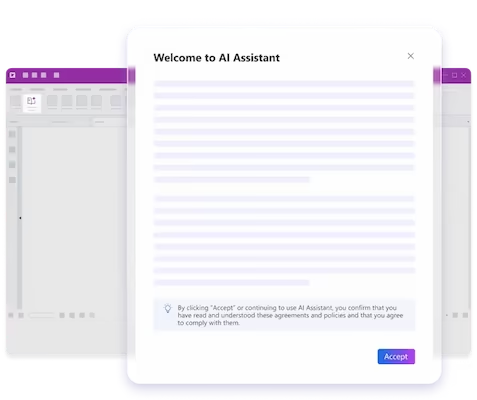
Full editing, conversion, OCR, AI Assistant. Subscription or one-time purchase.
Foxit PDF Editor+ Most Popular
Everything in Editor + mobile apps, eSign (150 envelopes/yr), and AI Smart Redact.
Foxit eSign
Standalone electronic signature solution. IDC MarketScape leader. Global compliance.
Why I Made the Switch from Adobe
💰
Massive Cost Savings
Foxit delivers 90% of Acrobat's features at a fraction of the cost. For teams, the savings multiply fast.
⚡
Faster & Lighter
Foxit launches faster, uses less RAM, and handles large PDFs without the lag that Acrobat is known for.
🎯
Office-Style Interface
The Ribbon UI feels familiar from day one. No retraining needed for teams switching from Adobe.
🤝
Better Support
Users consistently report Foxit's customer support is more responsive and helpful than Adobe's.
Try Before You Buy
Foxit offers free trials for both PDF Editor and eSign, so you can test everything before committing. And if you just need to view and annotate PDFs, the Foxit PDF Reader is completely free — no strings attached.
For businesses, Foxit offers volume licensing with a centralized admin console that makes deployment and license management simple. Whether you're a team of 5 or 5,000, they've got you covered.
Try Foxit PDF Editor Free → Free PDF Reader available · No credit card required for trial